Get DMarket's real instant-sell price
DMarket's own Instant Sell is always lower then selling to active Targets. That gap is usually around 5%. Here's how to get the higher price, just as fast.
-
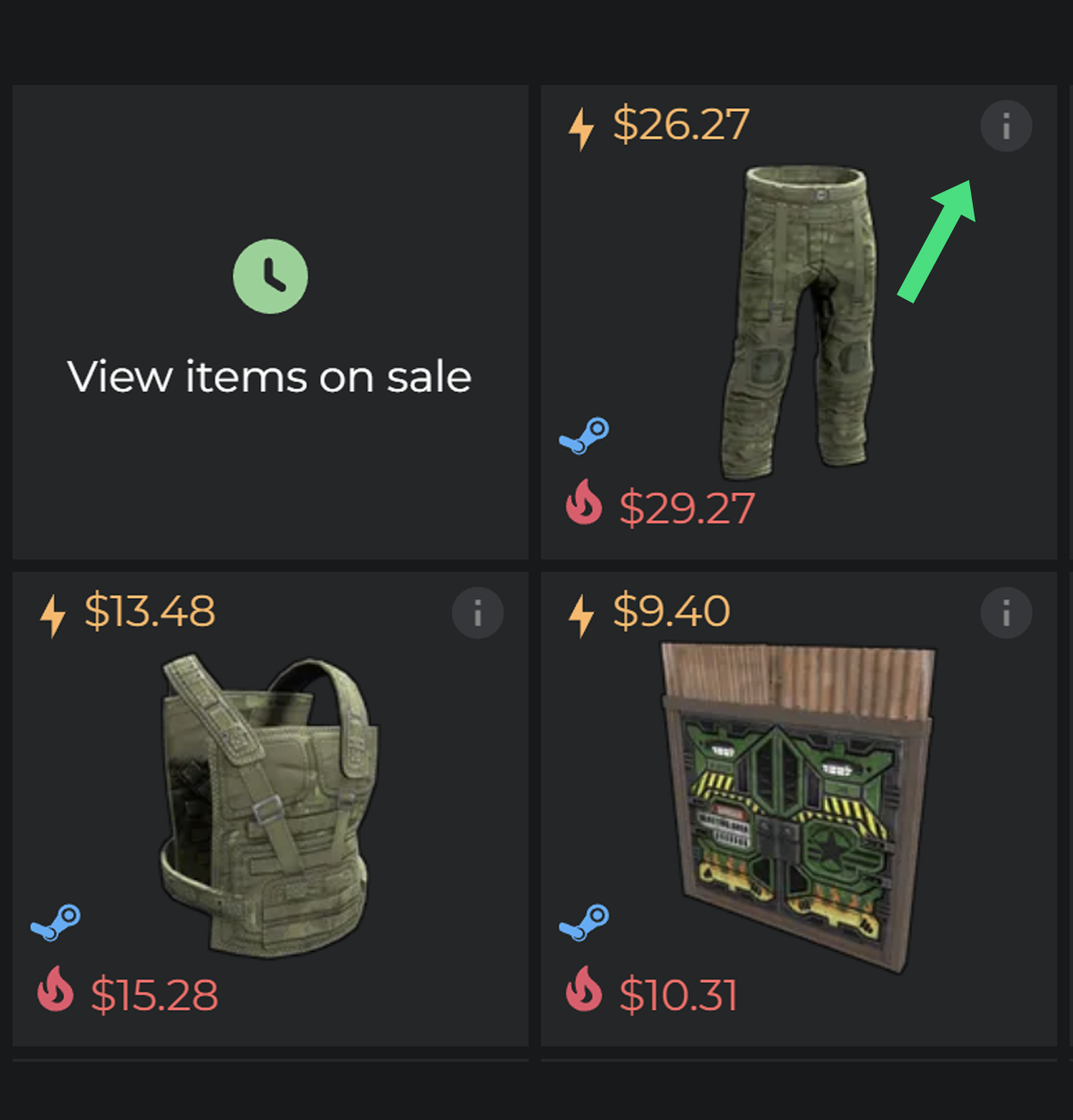
1. Open the item you want to sell
From your DMarket inventory or items-on-sale list, click into the item.
-
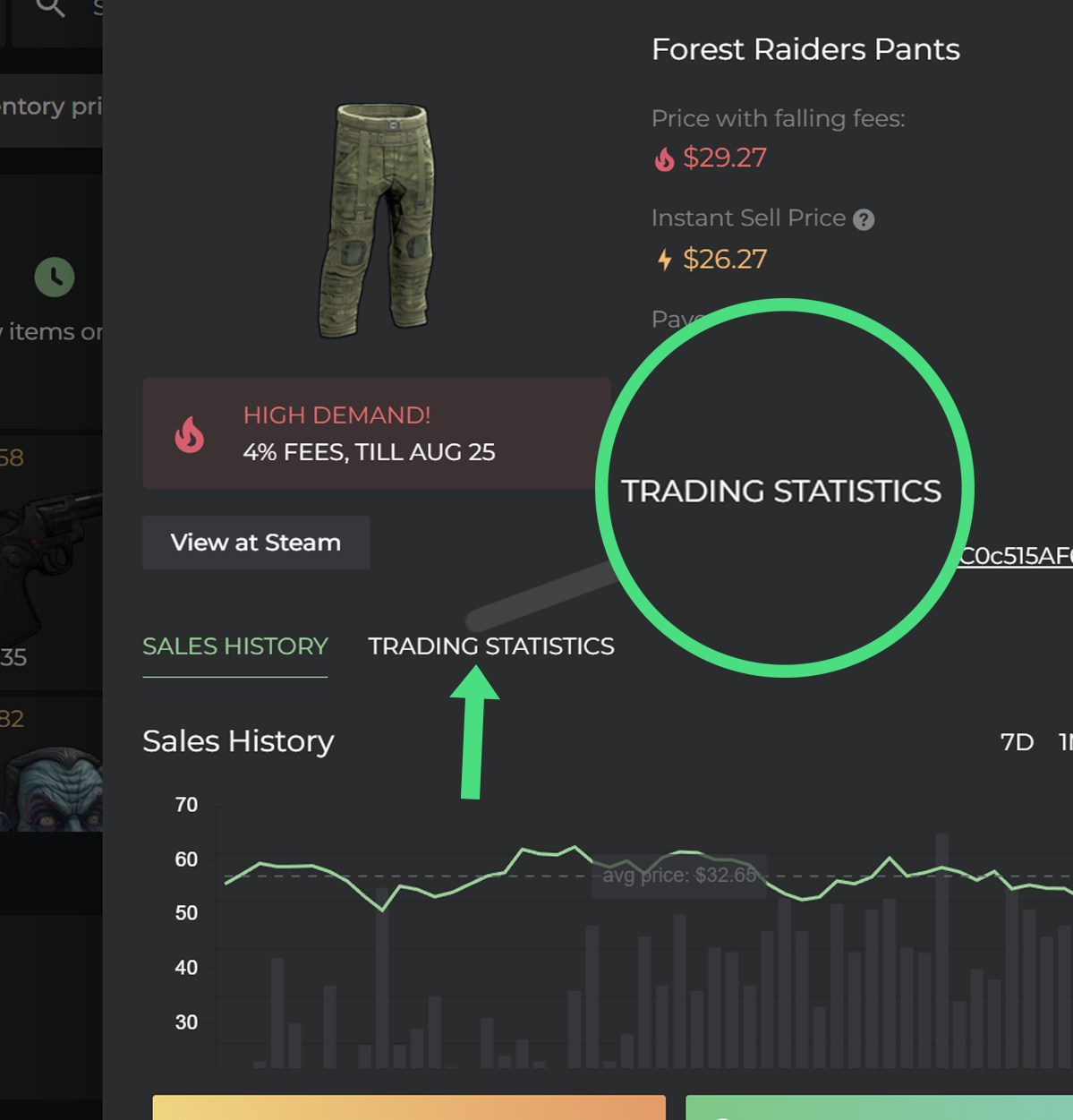
2. Open Trading Statistics
On the item's page, click Trading Statistics next to Sales History. This shows the live order book
-
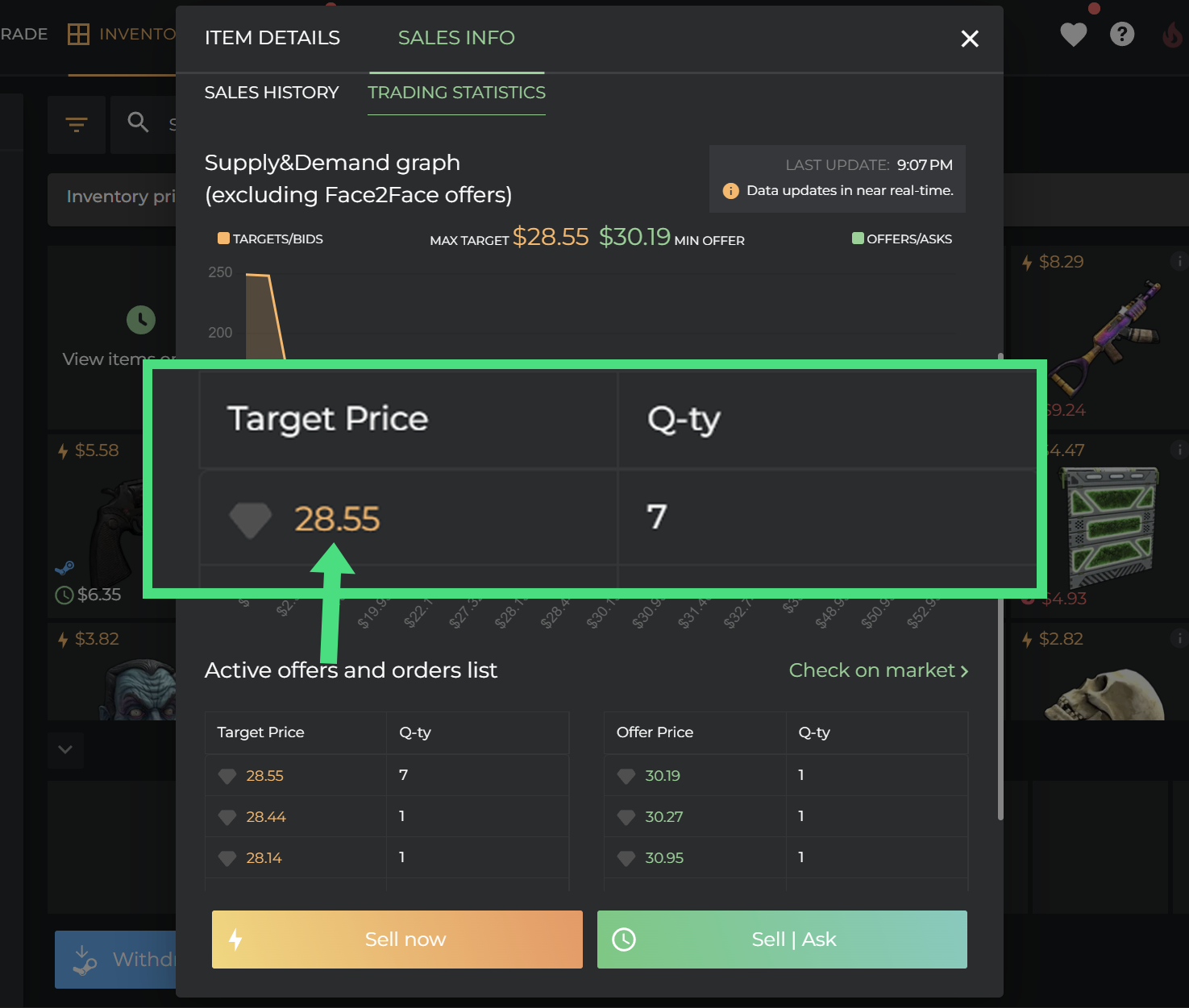
3. Find the highest target price
In the Target Price table, note the top number (the "Max Target"). That's a real buy order already sitting there right now, waiting to be filled - not DMarket's own lower quote.
-
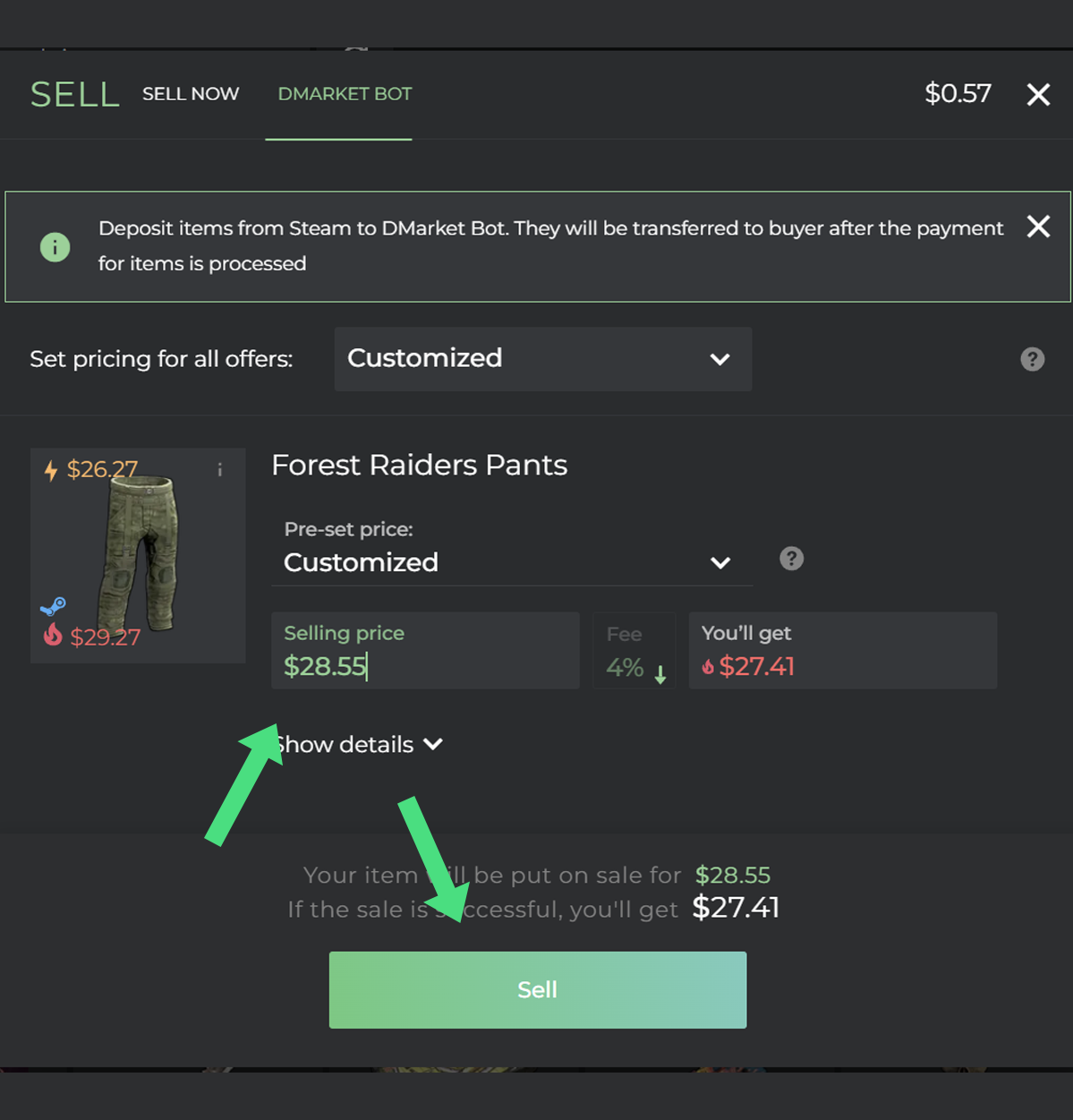
4. List at that exact price
Go to Sell, set pricing to Customized, and type in that same target price. Because a matching buy order already exists, the sale clears just as fast as Instant Sell would just for the higher amount.
This is general guidance, not financial advice - order books move, so double-check the current target price before listing. Screenshots are illustrative; DMarket's own interface may look slightly different.